TOTP and NTP: Why Your 2FA Codes Depend on the Exact Time
What is TOTP?
TOTP stands for Time-based One-Time Password. It is the algorithm behind the 6-digit codes you enter during two-factor authentication (2FA).
Defined in RFC 6238 (published in 2011), TOTP is an extension of HOTP (RFC 4226, counter-based) where the counter is replaced by time.
The principle is simple:
- Your app and the server share a secret (established during initial setup, often via QR code)
- Both parties use the current time to calculate a code
- If both codes match, authentication is validated
How the Algorithm Works
The TOTP algorithm breaks down into three main steps. Here is a simplified view of the calculation your app performs several times per minute:
// Step 1: Get the current time interval
T = floor(unix_timestamp / 30)

// Example: February 11, 2026 at 14:30:00 UTC
// timestamp = 1770843000
// T = 1770843000 / 30 = 59028100

// Step 2: Compute the HMAC
hmac = HMAC-SHA1(secret, T)

// Step 3: Truncate to get 6 digits
offset = hmac[last_byte] & 0x0F
code   = (hmac[offset..offset+3] & 0x7FFFFFFF) % 1000000

// Result: a 6-digit code, e.g. 482937
The crucial point is step 1: the calculation relies entirely on the UNIX timestamp, i.e., the number of seconds elapsed since January 1, 1970 00:00:00 UTC. Dividing by 30 creates 30-second "intervals". To see that number and convert it to a date: Unix timestamp converter.
The Link Between NTP and TOTP
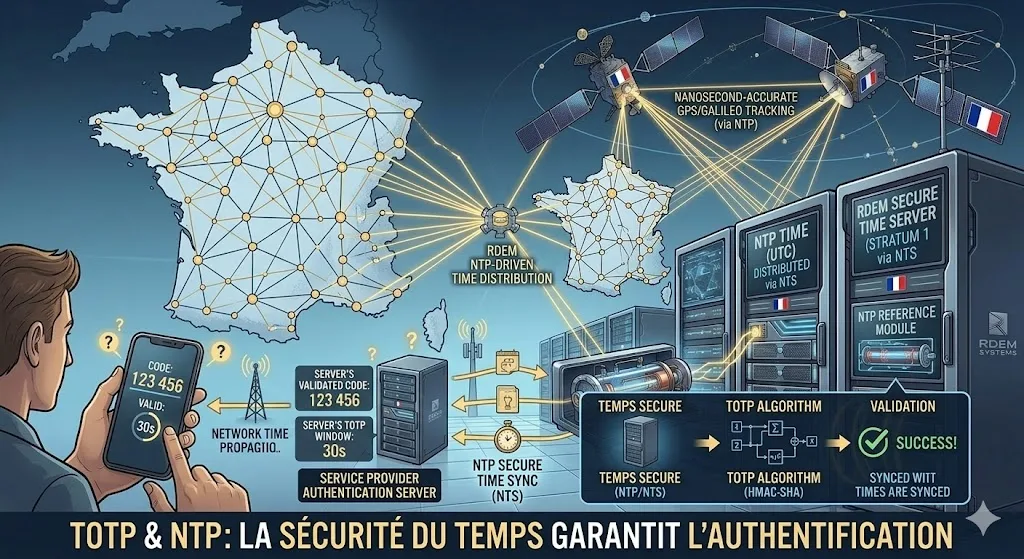
For TOTP to work, two devices that do not communicate directly with each other must arrive at the same result. The only shared variable is time.
NTP is the guarantor of this synchronization. Your phone synchronizes via NTP servers from your carrier or device manufacturer (Google, Apple). The authentication server synchronizes via its own NTP sources. Both parties thus obtain a consistent time within a few milliseconds — more than sufficient for TOTP's 30-second intervals.
To understand in detail how the NTP protocol works, see our dedicated guide.
Authentication Apps
All these apps use the same TOTP algorithm (RFC 6238). They are therefore interchangeable for most services:
Google Authenticator
The most well-known. Simple, no cloud backup (by default).
Microsoft Authenticator
Cloud backup, push notifications, Microsoft 365 compatibility.
Authy (Twilio)
Encrypted backup, multi-device, desktop application.
FreeOTP / FreeOTP+
Open source (Red Hat). No cloud dependency.
Yubico Authenticator
Stores secrets on a physical YubiKey. Uses the host device's clock.
2FAS
Open source, encrypted backup, modern interface.
What Happens When the Clock Drifts?
A mobile device's quartz crystal typically drifts by 0.5 to 2 seconds per day. Without regular NTP synchronization, this drift accumulates and eventually causes problems.
| Offset | Impact on TOTP | Consequence |
|---|---|---|
| 0 - 15 s | None | The code is within the current interval, everything works normally. |
| 15 - 30 s | Borderline | The code is at the end of the interval. May work thanks to server tolerance. |
| 30 - 60 s | Degraded | Works only if the server accepts T-1 or T+1. Unpredictable behavior. |
| 60 - 90 s | Near-total failure | The code rarely falls within the tolerance window. Frequent failures. |
| > 90 s | Total failure | Codes are systematically rejected. Requires clock resynchronization or a backup code. |
The 30-Second Window and Tolerance
By default, TOTP uses a time step (timestep) of 30 seconds.
But most authentication servers implement a tolerance window
to compensate for slight drifts:
Rejected
Accepted
Current
Accepted
Rejected
The most common configuration is to accept T-1, T, and T+1, which provides an effective window of about 90 seconds (3 intervals of 30 seconds). This setting is configurable on the server side:
- Google: accepts T-1, T, T+1 (tolerance ~90 s)
- Microsoft: accepts T-1, T, T+1 by default
- GitHub: configurable window, T-1 to T+1 by default
- RFC 6238: recommends the server test a few intervals around T
Check your machine's current offset in your browser — if it exceeds 30 seconds, your 2FA codes will start failing. The live tool on ntp-tester.eu refreshes every 10 seconds against our NTP-synchronised web server.
Synchronization Best Practices
To ensure your 2FA codes work at all times, follow these recommendations depending on your context:
For users (smartphones, PCs)
- Enable automatic time synchronization on all your devices (Android: Settings > System > Date & time; iPhone: Settings > General > Date & Time > Set Automatically)
- Never disable automatic time except for temporary testing needs, and re-enable it immediately afterward
- Check regularly your clock with our online verification tool
For administrators (servers, infrastructure)
- Configure NTP on all authentication servers with at least 4 redundant time sources
- Use NTS (Network Time Security) to protect synchronization against MITM attacks
- Monitor clock drift with Nagios/Zabbix/Prometheus alerts if the offset exceeds 100 ms
- Watch out for virtual machines: VMs (especially on Proxmox VE) can accumulate greater drift than physical machines. Configure chrony in guest mode or enable host-guest synchronization.
- Document the TOTP tolerance of your systems and do not increase it beyond T-2/T+2 without a compelling reason
Frequently Asked Questions
If your 2FA codes are systematically rejected, it is very likely a clock issue. Check that automatic time synchronization is enabled on your device.
- Android: Settings > System > Date & time > Automatic time
- iPhone: Settings > General > Date & Time > Set Automatically
Yes, once the secret is configured, the app generates codes offline. It only needs the system time. However, without Internet for a long period, the clock will no longer be synchronized by NTP and will eventually drift enough to cause authentication failures.
NTP ensures that your phone and the authentication server share the same time. Without this synchronization, the generated TOTP codes do not match those expected by the server, and the login fails. It is an invisible but critical link in the security chain.
YubiKeys primarily use FIDO2/WebAuthn which does not depend on time, or HOTP (counter-based). However, when a YubiKey generates TOTP codes (via Yubico Authenticator), it depends on the host device's clock, as the key itself has no internal clock.
An attacker who manipulates your clock could invalidate your 2FA codes or exploit time windows. Use NTS (Network Time Security) to cryptographically authenticate your time source and prevent this type of attack. The same reliable-clock logic underpins the retention windows of immutable backups designed against ransomware: a WORM lock driven by the system clock only holds if that clock holds too.
The 30-second interval is a trade-off between security (a code valid for less time is harder to exploit) and usability (the user has enough time to read and enter the code). Some services use 60 seconds for more convenience, at the cost of a wider attack window.
Free NTP Tools
Three independent tools to diagnose your time synchronization: